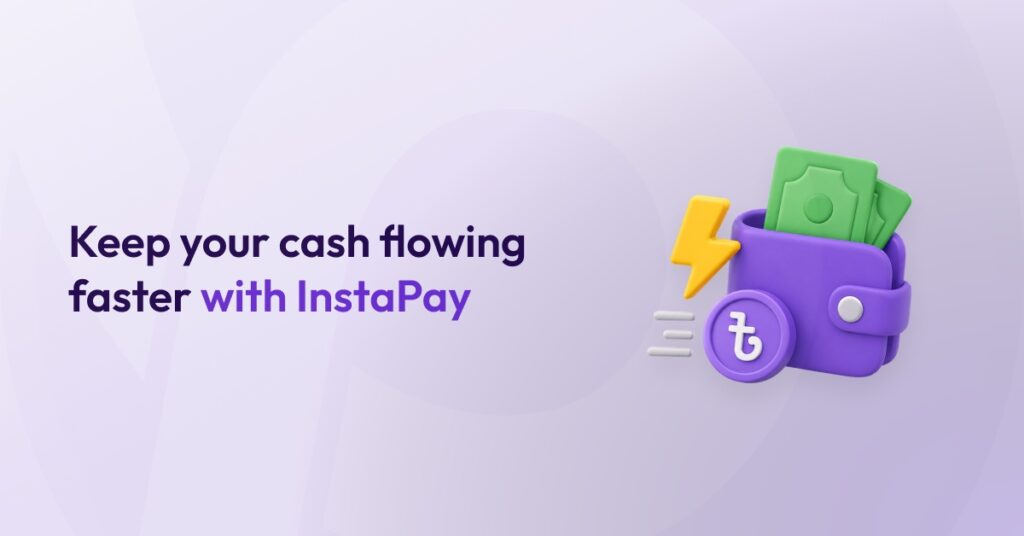
Keep your cash flowing faster with InstaPay
- Pathao Commerce
- July 26, 2026
Running a business means managing orders, inventory, deliveries, and expenses, sometimes all at once. And waiting for payouts when you urgently need cash? Not ideal.
That is why Pathao Commerce gives eligible merchants access to InstaPay On-Demand, a flexible withdrawal feature that lets you control when you receive your available COD earnings.
No schedules. No waiting. Withdraw when your business actually needs the money.
What Is InstaPay On-Demand?
InstaPay On-Demand allows eligible Pathao Commerce merchants to withdraw their available COD earnings at any time, directly into their linked Pathao Pay Merchant Account.
The best part? You do not need to enable Regular InstaPay to use it.
You can continue using your usual payout method. Whenever you need quick access to your available COD earnings, simply use InstaPay On-Demand.
Feature availability is subject to eligibility criteria, system availability, and applicable Pathao policies.
How Is On-Demand Different from Regular InstaPay?
| Regular InstaPay | InstaPay On-Demand |
| Automatic daily payoutsRuns in three fixed cyclesNo manual control over withdrawal timing | Manual withdrawal only when you need itNo daily payout scheduleFull control over when you withdraw |
One thing to remember: if you enable Regular InstaPay, InstaPay On-Demand will be disabled.
Who Can Use InstaPay On-Demand?
InstaPay On-Demand is currently available only to eligible merchants.
If your account is eligible, the On-Demand withdrawal option will be available through your linked Pathao Courier Merchant Panel.
Pathao Limited determines eligibility and may be updated, modified or withdrawn at any time.
Where Do I Find the On-Demand Option?
To access InstaPay On-Demand from Pathao Commerce:
- Sign in to commerce.pathao.com
- Click your Profile in the top-right corner.
- Select Settings.
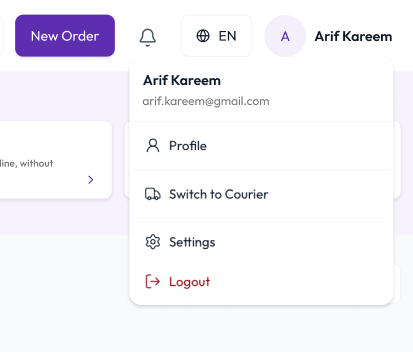
- Open Payout settings.
- Under Payout schedule, click Manage in the Pathao Courier panel.
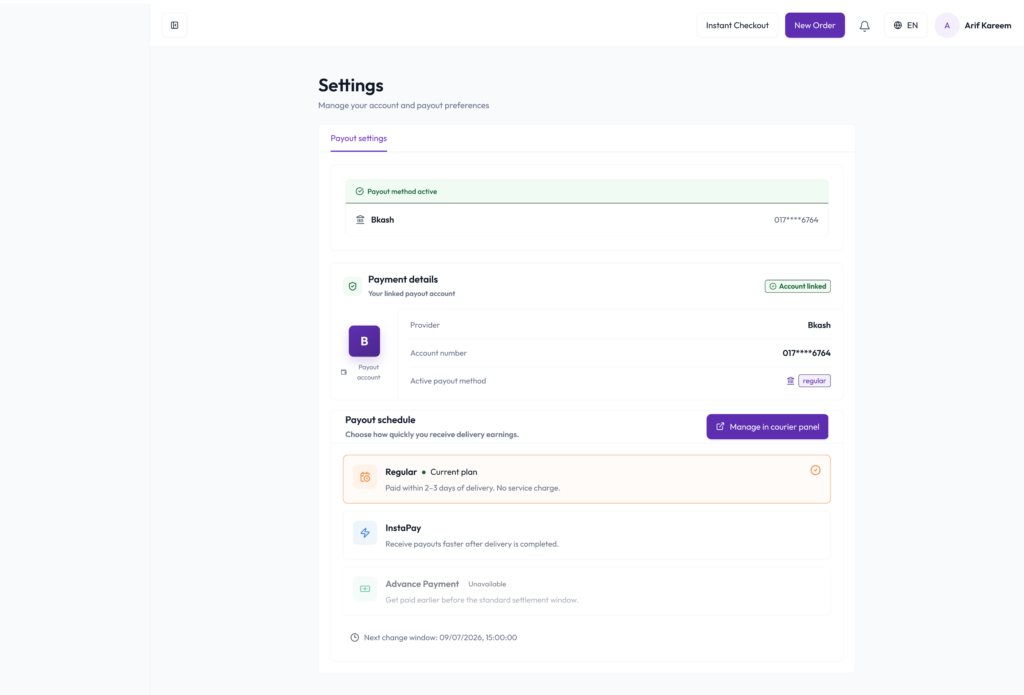
- You will be redirected to your linked Pathao Courier Merchant Panel.
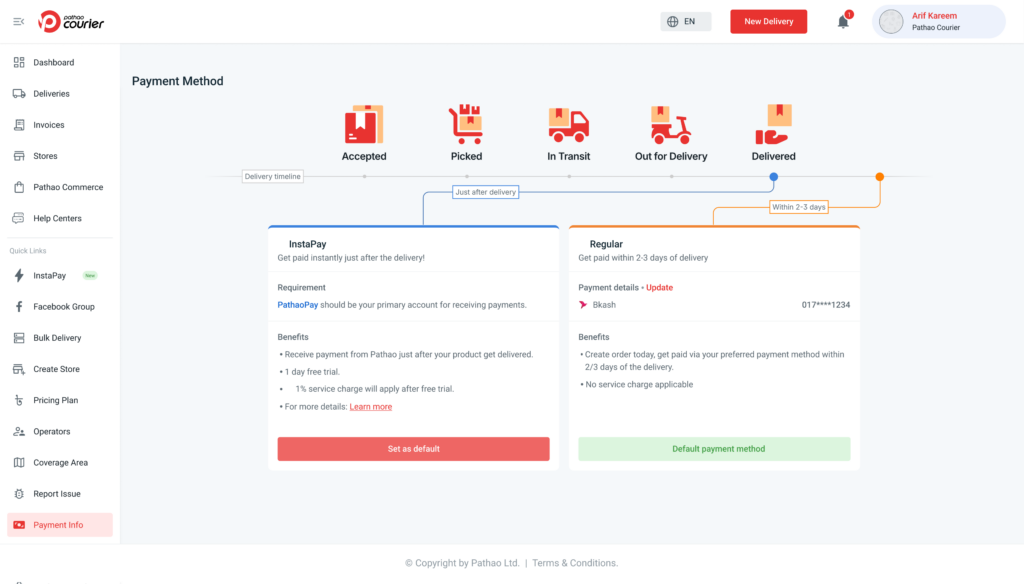
- The On-Demand withdrawal section will appear there if your account is eligible.
From the withdrawal section, you can view your total withdrawable balance and initiate a withdrawal.
Need Help?
For payout or InstaPay-related support:
- Merchant Hotline: +8809610003036
- Email: [email protected]
InstaPay On-Demand gives eligible Pathao Commerce merchants greater freedom, flexibility and faster access to their available COD earnings.
Because when business moves fast, your money should too.
Things To Keep In Mind
What Balance Can I Withdraw?
Your withdrawable balance includes:
- All delivered but unpaid COD orders
- Orders that appear approximately one hour after being marked as delivered
The balance does not update in real time immediately after delivery.
Can I Withdraw a Partial Amount?
No.
When you use InstaPay On-Demand, you must withdraw the full available amount shown in your dashboard. Partial withdrawals are not currently supported.
Is There Any Extra Fee?
Yes, but only when you use InstaPay On-Demand.
- Instant withdrawal fee: 2%
- No withdrawal means no fee
Fees are subject to change with prior notice.
How Fast Is the Disbursement?
Once you confirm the withdrawal and complete OTP verification, the money is transferred instantly to your linked Pathao Pay Merchant Account.
No delays. No waiting around.
Can I Switch Back to Regular InstaPay?
Yes.
However, if you select Regular InstaPay again as your default payout method, InstaPay On-Demand will automatically be disabled.
What If I Am Removed from the On-Demand List?
If your account is no longer eligible:
- The On-Demand option will disappear from the linked Courier Merchant Panel
- You will no longer be able to initiate On-Demand withdrawals
- This applies even if another payout method is selected as your default method
Eligibility may be changed or withdrawn by Pathao at any time.
Is InstaPay On-Demand Always Available?
There is a scheduled locked period every day from 11:00 AM to 4:00 PM.
During this period:
- On-Demand withdrawals are temporarily unavailable
- You can still sign up for InstaPay
- You can continue receiving money through the applicable regular payout process
Locked periods and availability windows may change due to operational or regulatory requirements.
Do I Need a Pathao Pay Merchant Account?
Yes.
You must have a linked Pathao Pay Merchant Account to withdraw money through InstaPay On-Demand.
If your account is not linked, the system will prompt you to connect one before proceeding.
You can review your linked payout information from:
Pathao Commerce → Profile → Settings → Payout settings
When Should I Use InstaPay On-Demand?
InstaPay On-Demand can be useful when your business needs immediate access to available COD earnings, such as for:
- Weekend or holiday expenses
- Purchasing inventory
- Urgent business expenses
- Temporary cash-flow gaps
Basically, whenever your business needs money now, not later.